Choosing the right UI library can make or break your development experience.
I've worked on dashboards, e-commerce stores, SaaS applications, admin panels, and personal projects using React and Next.js. Over the years, I've experimented with many UI libraries—some were excellent, some were frustrating, and a few became my go-to choices.
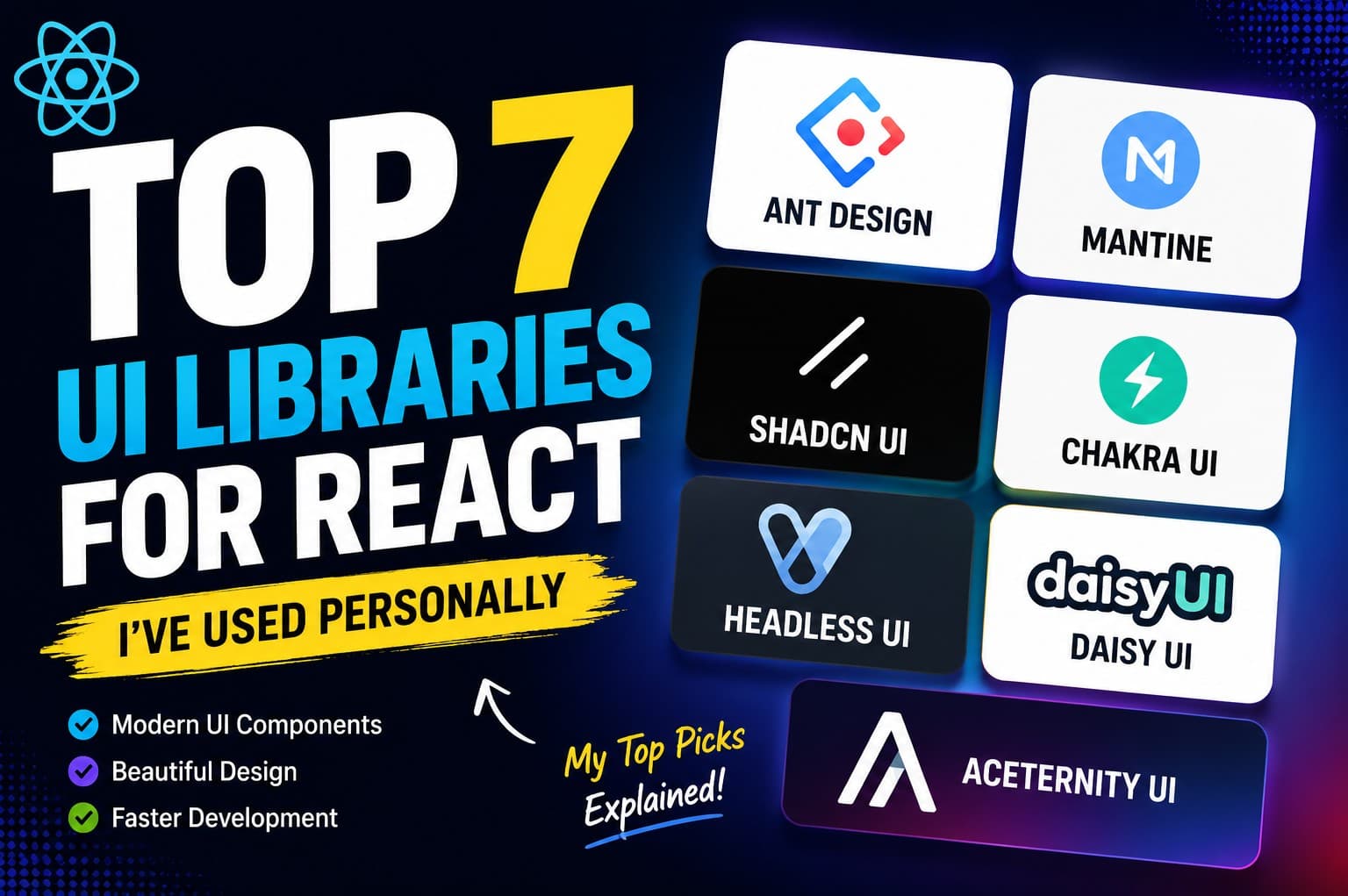
In this article, I'll share the seven React UI libraries I've personally used, what I like about them, their strengths, and the types of projects they're best suited for.
Let's dive in.
1. Ant Design
If you're building an admin dashboard, CRM, ERP, or enterprise application, Ant Design is one of the strongest choices available.
It comes with hundreds of polished components right out of the box.
Need a complex table with filtering, pagination, sorting, and row selection?
Ant Design already has it.
Need advanced forms?
It's already included.
Need charts, modals, notifications, upload components, calendars, or date pickers?
They're all there.
What I Like
Huge collection of components
Professional-looking design
Excellent documentation
Perfect for enterprise applications
Saves a lot of development time
Downsides
Because it includes so many components, the bundle size can become larger than lighter alternatives.
Customization is also more opinionated compared to utility-first libraries.
Best For
Admin dashboards
Business software
CRM systems
ERP applications
Large-scale enterprise projects
2. Mantine
Mantine quickly became one of my favorite UI libraries.
It feels modern, lightweight, and incredibly developer-friendly.
Unlike many UI libraries that only provide components, Mantine also includes a rich collection of hooks for handling common React tasks.
Its components are easy to customize without fighting the framework.
What I Like
Beautiful default styling
Excellent React hooks
Dark mode support
Flexible customization
Great documentation
One feature I particularly enjoy is how simple it is to build responsive layouts without writing excessive CSS.
Best For
SaaS applications
Dashboards
Startup projects
Internal tools
Modern web applications
3. Shadcn UI
Shadcn UI has completely changed how many developers build React applications.
Unlike traditional component libraries, Shadcn doesn't install a package containing every component.
Instead, you copy the components directly into your project.
That means you own the code.
Need to modify a button?
Simply edit the component.
Need to redesign a dialog?
No problem.
You're not fighting a third-party library.
This flexibility is one of the biggest reasons why Shadcn UI has become so popular.
It works exceptionally well with Tailwind CSS and Next.js.
What I Like
Full ownership of components
Built using Radix UI
Excellent accessibility
Easy customization
Beautiful modern design
It's currently my preferred choice for many Next.js projects.
Best For
Next.js projects
SaaS applications
Startup websites
Modern dashboards
Developers who love Tailwind CSS
4. Chakra UI
Chakra UI focuses on simplicity.
Its API is incredibly beginner-friendly.
Instead of writing custom CSS for spacing, colors, or typography, you can configure everything directly through component props.
For example, creating a responsive layout often requires only a few lines of code.
Another thing I appreciate is Chakra's accessibility.
Many accessibility best practices are already built into the components.
What I Like
Easy to learn
Excellent accessibility
Responsive design utilities
Great documentation
Clean developer experience
Best For
Beginners
Startup MVPs
Business websites
Medium-sized applications
5. Headless UI
Headless UI takes a completely different approach.
It provides behavior without styling.
For example, it gives you a fully accessible dropdown menu or modal, but it doesn't decide how it should look.
You create the design yourself.
This makes it incredibly flexible.
If you already use Tailwind CSS and want complete design freedom, Headless UI is an excellent choice.
What I Like
Full design control
Accessibility built in
Lightweight
Works perfectly with Tailwind CSS
Downsides
You'll spend more time creating the visual appearance compared to traditional UI libraries.
Best For
Custom design systems
Tailwind CSS projects
Developers wanting complete styling control
6. DaisyUI
If you're already using Tailwind CSS, DaisyUI can dramatically speed up development.
Instead of creating every button, card, modal, and navbar from scratch, DaisyUI provides ready-made component classes.
One thing I really enjoy is the built-in theme system.
Switching between themes takes only a few configuration changes.
It's great for rapid development.
What I Like
Extremely fast to build with
Tailwind-based
Many built-in themes
Minimal setup
Beginner-friendly
Downsides
Projects can start looking similar if you don't customize the default styles.
Best For
Landing pages
Portfolios
Personal projects
Rapid prototyping
Small business websites
7. Aceternity UI
If you love beautiful animations, Aceternity UI is worth exploring.
It's not your typical component library.
Instead, it offers visually stunning sections, hero components, cards, backgrounds, loading effects, and interactive animations.
Many components feel premium right out of the box.
Whenever I want a landing page that immediately grabs attention, Aceternity UI is often my first stop.
What I Like
Incredible animations
Premium-looking components
Great for marketing websites
Easy integration with Tailwind CSS
Downsides
It's designed more for visual experiences than complete application interfaces.
Best For
Landing pages
Startup websites
Portfolios
Product showcases
Marketing pages
Which UI Library Should You Choose?
There's no single "best" UI library.
The right choice depends on your project.
Project Type | Recommended Library |
|---|---|
Enterprise Dashboard | Ant Design |
SaaS Application | Shadcn UI or Mantine |
Startup MVP | Chakra UI |
Tailwind CSS Project | Shadcn UI or DaisyUI |
Custom Design System | Headless UI |
Landing Page | Aceternity UI |
Rapid Prototyping | DaisyUI |
My Personal Favorites
If I had to choose only three, these would be my picks:
🥇 Shadcn UI – My first choice for most modern Next.js applications because of its flexibility, ownership of components, and seamless integration with Tailwind CSS.
🥈 Mantine – An excellent all-around library with polished components, useful hooks, and an outstanding developer experience.
🥉 Ant Design – My go-to option for enterprise dashboards and complex business applications where speed and consistency matter more than complete design freedom.
Final Thoughts
Every UI library has its strengths, and none of them are universally better than the others.
If you're building a polished SaaS product, Shadcn UI and Mantine are excellent choices. For enterprise dashboards with complex forms and data tables, Ant Design remains hard to beat. If you're after speed and simplicity, Chakra UI and DaisyUI are great options. And if your goal is to create eye-catching landing pages, Aceternity UI can help your project stand out.
The best advice is to experiment. Build a small project with each library and see which one matches your workflow and design preferences. The right tool is the one that helps you build faster while maintaining a great user experience.
Happy coding!