When we run test in cypress, it runs all the specs that is available. But what if we want to test only important specs. These important specs come into smoke testing. In this tutorial, we will learn about tags and run tests based on these tags.
First we separate specs by using tags. For example, important testing will have @smoke tag and unimportant tests will have @regression tag while it will also have its own categorized tag like, for login its auth, for transactions its @payment.
Lets dive into using the tags and then we run only the tests that is needed. Follow these steps:
Install Greptags from cypress
npm i @cypress/grepUse this package as a plugin in cypress config
e2e: {
    setupNodeEvents(on, config) {
      require("@cypress/grep/src/plugin")(config);
Here, plugin is imported from @cypress/grep/src/plugin and initialized in config.
At the end of e2e, the config must be returned.
return config;
    },
in module.exports of cypress config, enable grepFilter
module.exports = defineConfig({
env: {
    grepFilterSpecs: true,
  },
Add tags in test
describe("File download", { tags: "@smoke" }, () => {
describe("File upload", { tags: ["@smoke", "@upload"] }, () => {
For single tag, use string and for multiple tags, use list of strings.
Run cypress test with tags in the env.
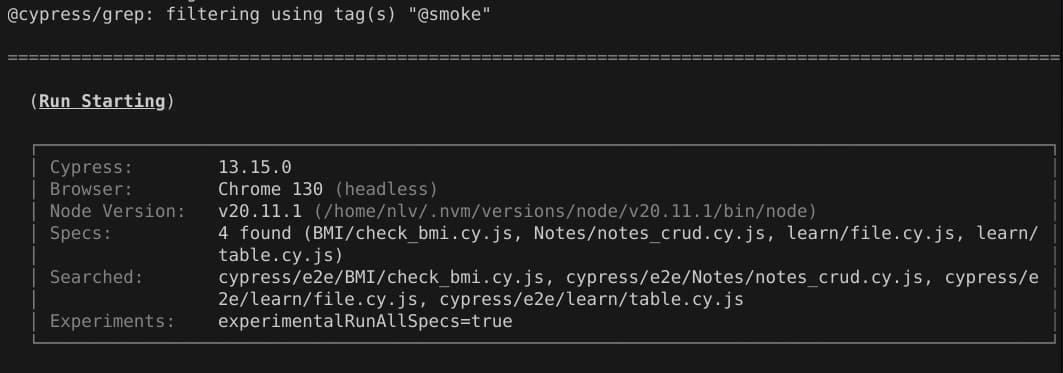
npx cypress run --env grepTags='@smoke'This will run all the tests with tag @smoke
To run tests with multiple tags
npx cypress run --env grepTags='@smoke+@payment'