
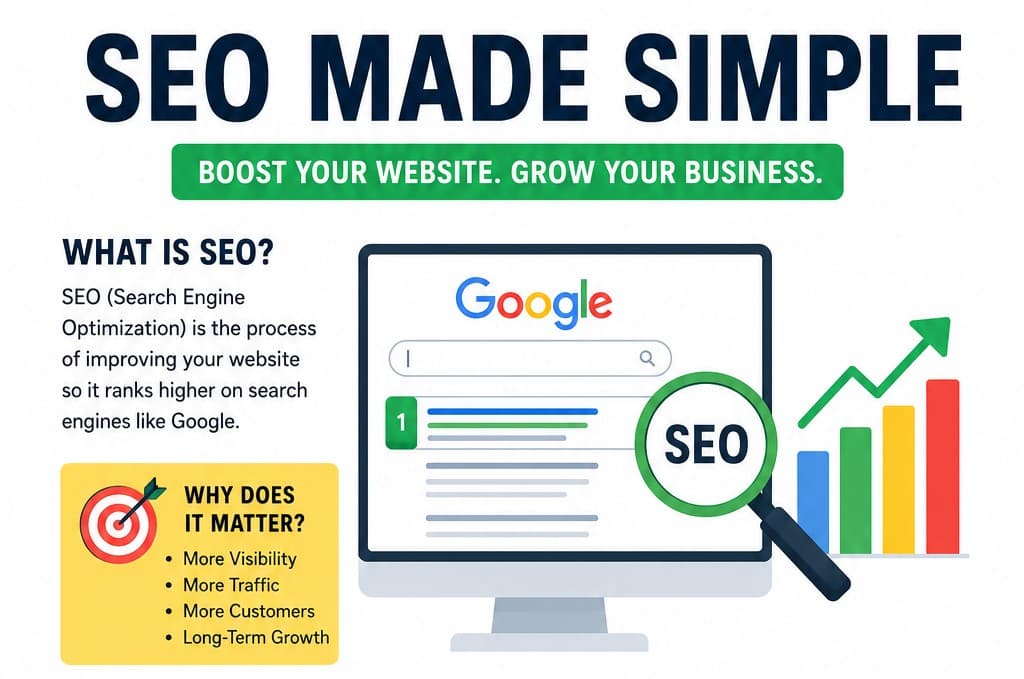
If you've ever wondered why some websites always appear at the top of Google while others seem impossible to find, the answer is usually SEO.
The good news? You don't need to be a marketing expert or programmer to understand it.
In this guide, we'll explain SEO in plain English with real-life examples, so you can start improving your website today.
What is SEO?
SEO (Search Engine Optimization) is the process of making your website easier for search engines like Google to understand and recommend.
Think of Google as a giant librarian.
Every day, it scans billions of web pages and decides which ones deserve to appear first when someone searches for something.
Your job is to make your page the best answer for the person's question.
Example
Imagine you own a bakery.
Someone searches:
"Best chocolate cake recipe"
Google has millions of recipes to choose from.
It looks for pages that are:
Helpful
Well-written
Fast
Easy to navigate
Trusted by other websites
The pages that meet these requirements usually appear at the top.
That's SEO.
Why is SEO Important?
Imagine opening a beautiful store in the middle of a desert.
Even if your products are amazing, nobody knows you're there.
Without SEO, your website can feel exactly like that.
Good SEO helps people discover your website naturally through search engines.
Benefits include:
More visitors
More customers
Higher trust
Free long-term traffic
Better user experience
Unlike paid advertisements, SEO keeps working even after you've published your content.
How Do Search Engines Work?
Search engines generally follow three steps.
1. Crawling
Google uses automated programs called crawlers or bots.
These bots visit websites and discover new pages.
Think of them as librarians collecting new books.
2. Indexing
Once Google reads your page, it stores it in a massive database called an index.
If your page isn't indexed, it can't appear in search results.
3. Ranking
When someone searches, Google compares thousands or even millions of pages.
It then ranks them based on many factors like:
Relevance
Quality
Speed
Mobile friendliness
User experience
Trustworthiness
The most useful pages usually appear first.
Types of SEO
SEO isn't just one thing.
It has several parts.
1. On-Page SEO
This includes everything you do on your own website.
Examples:
Writing useful content
Using headings
Adding images
Writing clear titles
Optimizing keywords
2. Off-Page SEO
This focuses on your website's reputation.
The biggest factor is backlinks.
A backlink is when another website links to yours.
It's similar to getting a recommendation from someone respected.
3. Technical SEO
Technical SEO helps search engines access and understand your website.
Examples include:
Fast loading speed
Secure HTTPS connection
Mobile-friendly design
Sitemap
Structured data
Clean URLs
What Are Keywords?
Keywords are the words people type into Google.
For example:
Someone wants to learn baking.
They might search:
easy bread recipe
homemade pizza dough
best chocolate cake
If your article naturally discusses these topics, Google has a better chance of showing your page.
Notice the word naturally.
Avoid stuffing the same keyword everywhere.
Instead of writing:
Chocolate cake recipe. Chocolate cake recipe. Chocolate cake recipe.
Write naturally:
This chocolate cake recipe is perfect for beginners because it uses simple ingredients and only takes an hour to make.
It reads better for people—and Google prefers that too.
The Importance of Great Content
Many people think SEO is about tricks.
It's not.
Google wants to show content that genuinely helps users.
Ask yourself:
Does this answer the reader's question?
Is the information accurate?
Is it easy to read?
Does it solve a problem?
Helpful content usually performs better than content written only for search engines.
Write Titles People Want to Click
Your title is often the first thing people see.
Instead of:
SEO Tips
Try:
10 Easy SEO Tips That Actually Work
SEO for Beginners: Start Ranking Today
Why Your Website Isn't Showing on Google (And How to Fix It)
A good title should create curiosity while clearly explaining the topic.
Use Headings to Organize Your Content
Nobody enjoys reading a huge wall of text.
Break your article into sections.
For example:
What is SEO?
Why SEO Matters
Common SEO Mistakes
SEO Tips for Beginners
This helps both readers and search engines understand your content.
Optimize Images
Images make articles more engaging.
But they should also be optimized.
Good practices include:
Compress large images
Use descriptive filenames
Add alt text
Choose modern formats like WebP when possible
Instead of naming an image:
IMG12345.jpgUse:
seo-beginner-guide.webpMake Your Website Fast
Nobody likes waiting.
If your website loads slowly, visitors may leave before reading anything.
Simple improvements include:
Compress images
Reduce unnecessary scripts
Enable caching
Use a Content Delivery Network (CDN)
A faster website creates a better experience and can improve SEO.
Make Your Site Mobile-Friendly
Today, most searches happen on phones.
Your website should:
Display correctly on small screens
Have readable text
Use buttons that are easy to tap
Load quickly on mobile networks
Responsive design is no longer optional.
Internal Links Matter
Link to other useful pages on your own website.
For example, if you write:
Learn how to speed up your website.
You can link to another article about improving website performance.
This helps visitors discover more content and helps search engines understand how your pages are connected.
Common SEO Mistakes Beginners Make
Avoid these common pitfalls:
Stuffing keywords into every sentence
Writing only for search engines instead of people
Ignoring page speed
Publishing thin or low-quality content
Forgetting image optimization
Not using headings
Copying content from other websites
Ignoring mobile users
SEO rewards quality over shortcuts.
Does SEO Work Overnight?
No.
SEO is a long-term investment.
Think of it like planting a tree.
You won't get shade the next day.
But if you keep watering it with helpful content, technical improvements, and consistent updates, it can bring visitors for months or even years.
Patience is part of the process.
Simple SEO Checklist
Before publishing a page, ask yourself:
Is the title clear and interesting?
Does the content answer the user's question?
Have I used headings?
Are images optimized?
Is the page mobile-friendly?
Does it load quickly?
Have I linked to relevant pages?
Is the content original and helpful?
If you answered "yes" to most of these, you're on the right track.
Final Thoughts
SEO isn't about fooling Google—it's about helping people.
When your website is fast, easy to navigate, and filled with useful information, search engines are more likely to recommend it.
Focus on creating content that answers real questions, keep improving your site over time, and be patient. SEO is a marathon, not a sprint.
Remember: every great website started with its first optimized page. For detailed explanation on SEO and its types go to: SEO and its types explained